Anki Studio: Read PDFs and Videos With Your AI
Most Anki cards start somewhere else: a textbook PDF, a recorded lecture, a film in the language you’re learning. Getting from there to a card used to mean copying, pasting, and screenshotting between apps. This update brings the source into Anki Studio, right next to your AI.
What’s new
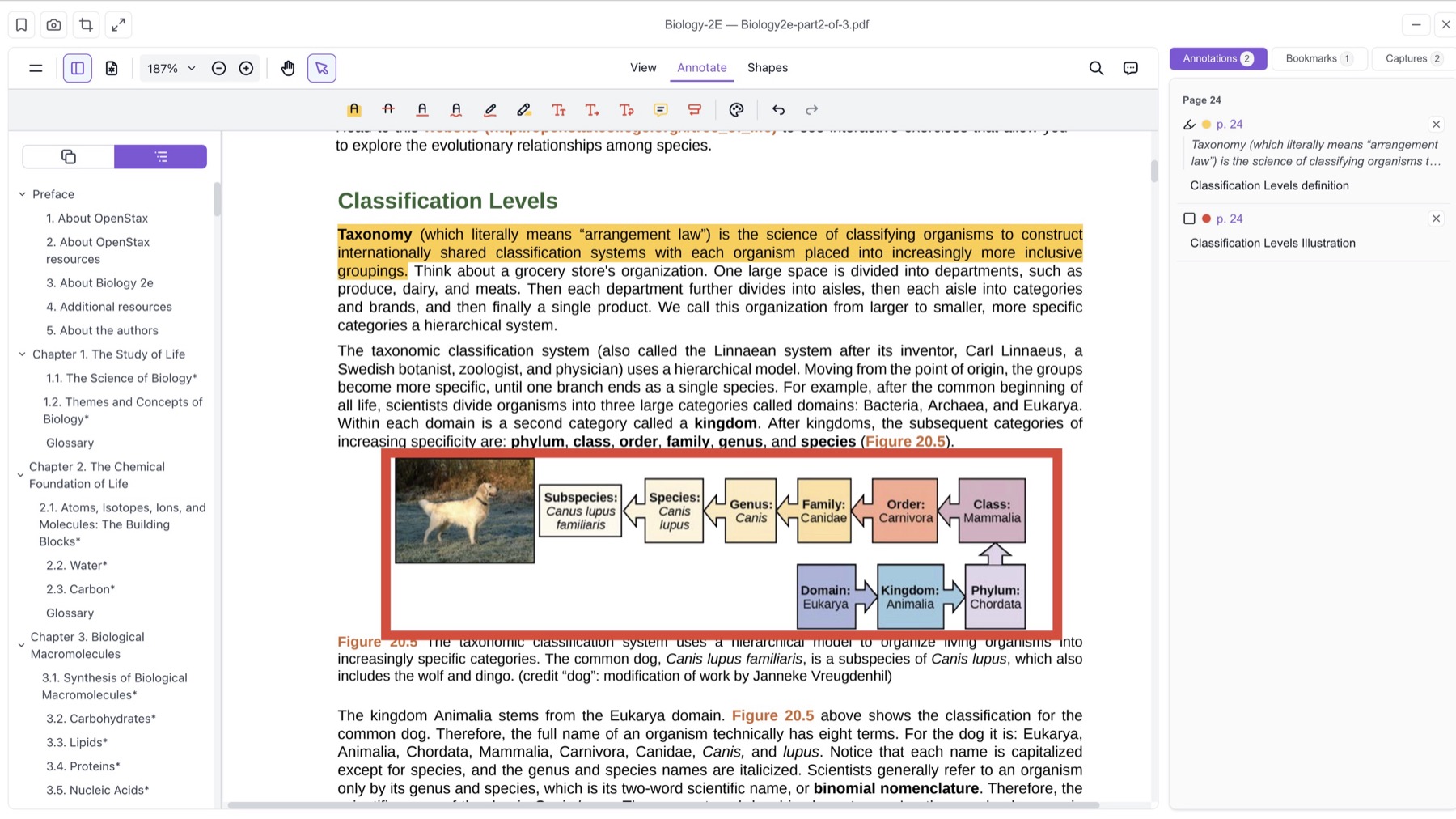
- “I copy paragraphs out of my PDF one by one.” The PDF Reader opens your PDF in the dashboard. Highlight, add notes, bookmark pages, and capture a diagram or a table as an image. Your AI reads the pages, highlights, and captures you have open, and makes cards from them → PDF Reader
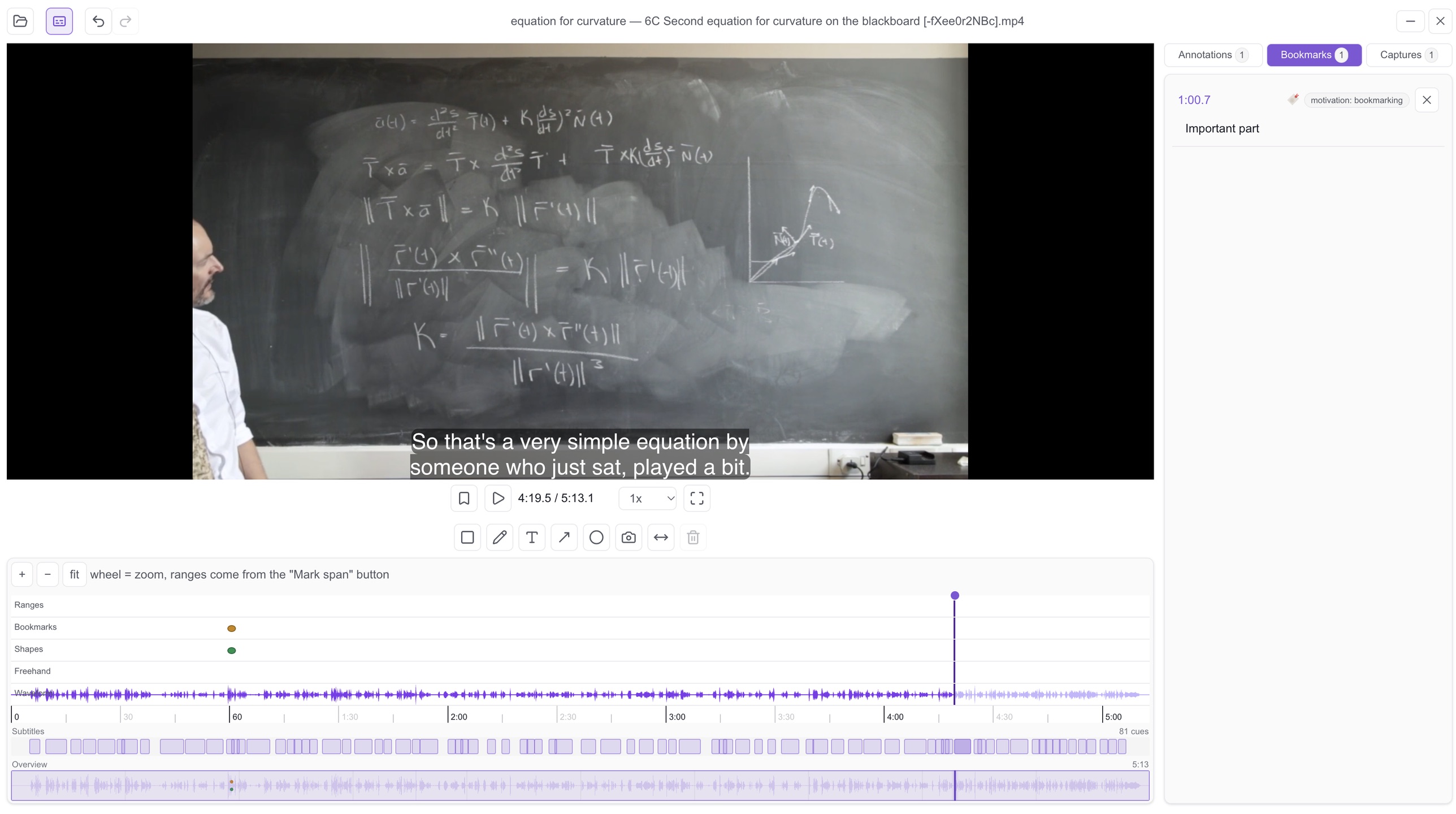
- “I pause the lecture, take a screenshot, and type out what the professor said.” The Video Player plays a lecture or a film from your own computer. The video is never uploaded. Bookmark moments, mark a span of time, draw on the frame, and load a subtitle file you can search. Your AI reads the frames, subtitles, and bookmarks, and makes cards from them → Video Player
“My card’s picture breaks once it leaves the Sandbox.” Sandbox cards can now show pictures and play sounds straight from your Media Library. When you approve the card, the files are copied into Anki for you, so it works offline like any other card. A new Refresh preview button reloads them if the preview stops showing them → Pictures and sounds from your Media Library
“I ran out of room for my files.” Media Library storage on the Pro plan is now 3 GB. Plus stays at 1 GB and Free at 30 MB → Pricing
“What can my AI actually do in Studio?” The full list is now published: 45 tools, 9 of them new → Studio tool reference
The Free plan includes 1 PDF project and 1 video project. Any paid plan, Plus or Pro, removes that limit.
What you need to do
To see the new tools, remove the Studio connector in Claude or ChatGPT and add it again. AI apps remember the tool list from when you first connected. Your current connection keeps working, it just won’t show the new tools until you re-add it. The Studio MCP URL is https://studio.ankimcp.ai/mcp.
Where to start
Open your dashboard and click PDF Reader or Video Player in the Studio group. Create a project, open your file, and mark what matters. Then ask your AI to make cards from it. New to Studio? Start with Anki Studio.
Disclaimer: “Anki” is a registered trademark of Ankitects Pty Ltd. AnkiMCP is an independent, community-built project and is not affiliated with, endorsed by, or sponsored by Ankitects. MCP is an open standard originated by Anthropic; AnkiMCP is likewise not affiliated with or endorsed by Anthropic.